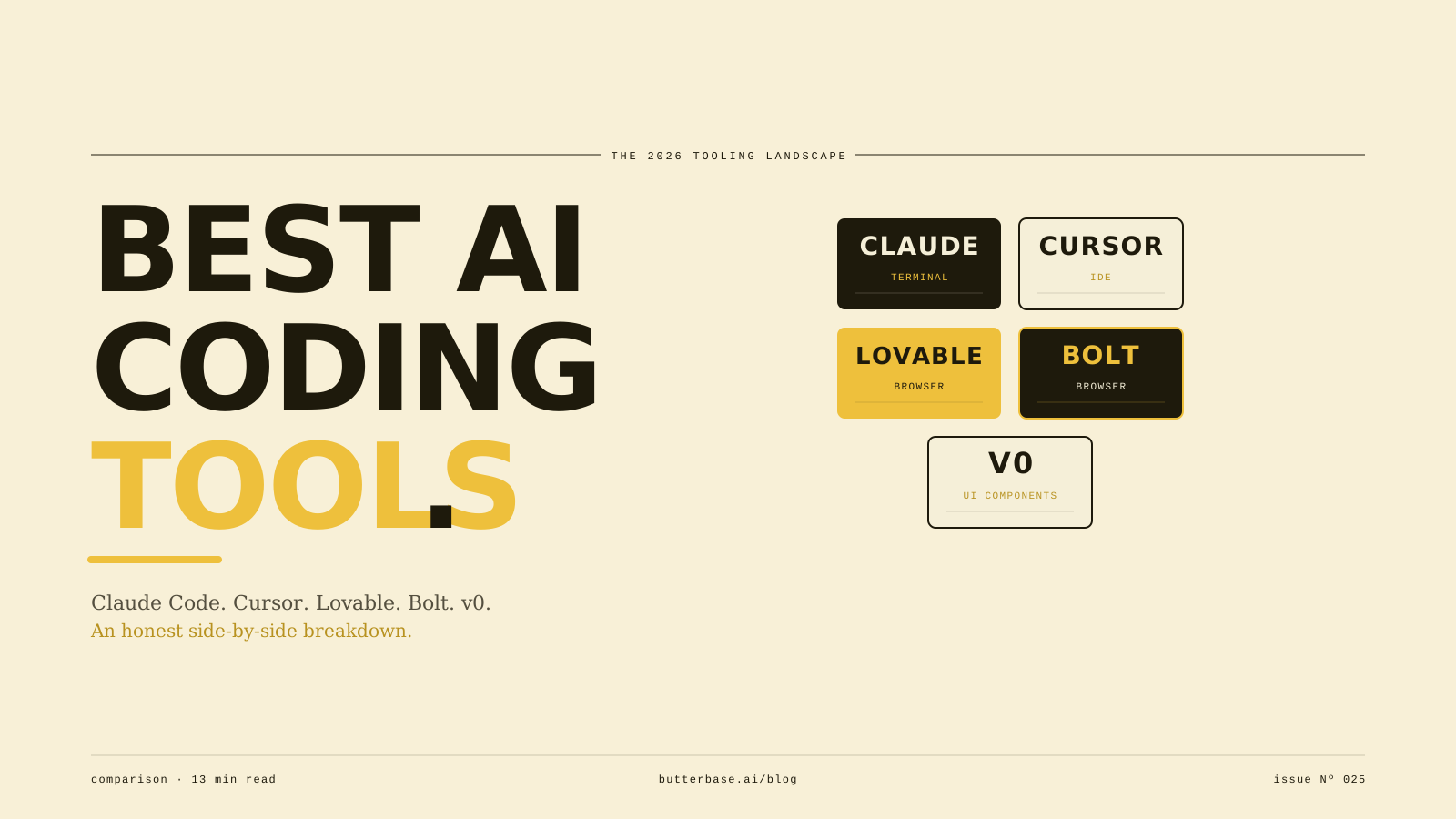
The best AI coding tool in 2026 depends on your starting point. Claude Code wins for developers comfortable in a terminal. Cursor wins for IDE users who want a familiar coding environment. Lovable and Bolt win for non-technical builders who don't want to see code at all. v0 wins for designers and UI-focused work.
There is no single best tool. There are five strong tools serving different audiences. This article breaks down each one honestly - what it is, who it's for, where it works well, where it doesn't, and which one fits your situation.
The quick answer
If you only have 30 seconds:
- Claude Code if you're comfortable in a terminal and want the deepest integration with your local files and tools
- Cursor if you want a full IDE experience and intend to read or modify the code
- Lovable or Bolt if you want to build apps without ever touching code, in a browser
- v0 if you want to generate UI components from descriptions and own the underlying React code
The rest of this article expands each one with what it does well, what it doesn't, and what to pair it with.
How to think about this category
AI coding tools fall on a spectrum from "AI helps me write code" on one end to "AI writes everything and I never see code" on the other.
On the developer end of the spectrum, the AI is a collaborator. You're still the engineer. You read what the AI writes, decide if it's right, and stay in control of the codebase. Claude Code and Cursor live here.
On the non-technical end of the spectrum, the AI is the builder. You describe what you want and accept the result. You may never look at the code. Lovable, Bolt, and v0 live here.
The right tool depends on which end of the spectrum matches your goals and skills. Picking the wrong end for your situation is the most common mistake. A non-technical founder using Cursor will spend hours wrestling with errors they don't understand. A senior engineer using Lovable will hit limits the platform can't get past. Match the tool to the user.
Claude Code
What it is. Claude Code is Anthropic's command-line tool that runs in your terminal and lets Claude operate inside your local development environment. You describe what you want, and Claude reads your files, writes code, runs commands, debugs errors, and iterates. It supports MCP (Model Context Protocol), which lets it take actions in external systems - databases, backends, services - through the same conversation.
Who it's for. Developers comfortable on the command line. You don't need to be senior; junior developers and recent bootcamp graduates use Claude Code productively. But you do need to be okay with a terminal interface and reading code when something goes wrong.
What it does well. Claude Code is the strongest tool for multi-file projects. It can read your entire codebase, understand the relationships between files, and make coordinated changes across many of them at once. It also handles long-running agentic tasks better than the IDE-based tools - give it a multi-step task, walk away, come back to see the result.
Where it doesn't fit. If you don't want to use a terminal, this isn't the tool. If you want a visual interface for building UIs, Claude Code doesn't have one - it operates entirely through text. If you've never opened a terminal before, the learning curve is real.
Pricing. Free tier available; paid tiers through Claude subscriptions (Pro, Max) and the Anthropic API. Most serious users land on the Pro or Max tier.
Pair it with. Butterbase for an MCP-native backend that Claude Code can provision and operate directly. Supabase if you're comfortable with SQL and prefer a more developer-oriented backend.
Cursor
What it is. Cursor is an AI-native IDE - a code editor with AI built into every interaction. It looks and feels like VS Code (it's actually a fork of it), but the AI is integrated rather than added as a sidecar. You can describe what you want in plain English, and Cursor generates the code in-line. It supports multi-file edits, autocomplete, chat-style interaction, and an agent mode that handles longer tasks autonomously.
Who it's for. Developers who want a full IDE experience. This includes professional engineers, bootcamp students, hobbyist coders, and increasingly, the non-engineers who've crossed the "I want to see the code" line.
What it does well. Cursor is the most polished developer experience in the AI coding space. The autocomplete is excellent, the chat interface is fast, and the multi-file editing works smoothly. For someone who already lives in VS Code, the transition to Cursor is friction-free.
Where it doesn't fit. If you've never opened a code editor, Cursor is overkill. It assumes you can read the code it generates and identify when something is wrong. The MCP support is improving but not as deep as Claude Code's - meaning the AI doesn't operate as autonomously inside external systems.
Pricing. Free tier exists; paid plans start around $20/month.
Pair it with. Butterbase or Supabase for backend. Vercel for deployment.
Lovable
What it is. Lovable is a browser-based AI app builder for people who don't want to see code. You describe what you want, Lovable generates a working app, and you can iterate by chatting with it. The output is a real React + Node.js application that runs at a real URL. You can preview it in the browser, share it with others, and deploy it without ever opening a terminal.
Who it's for. Non-technical builders. Solo founders without engineering backgrounds. Designers who want to ship without engineering. Product managers building internal tools. Domain experts solving their own problems.
What it does well. Lovable is the most accessible AI coding tool. The interface is genuinely usable for someone who has never coded before. The output is a real codebase that you can later modify or hand off to a developer if needed. Building a simple app from scratch - landing page, signup flow, dashboard - takes minutes, not days.
Where it doesn't fit. Lovable handles common app patterns well but hits limits for unusual logic, complex backend requirements, or anything that needs custom server-side processing. The standard pattern of "frontend looks great, backend doesn't quite work" applies - Lovable will generate a backend, but for non-trivial apps you'll want a stronger backend layer underneath.
Pricing. Free tier exists; paid plans typically start around $20/month for individuals.
Pair it with. Butterbase for production-grade backend (Lovable's built-in backend works for simple apps, but for anything serious, you'll want a real backend platform). Custom domain via the Lovable interface for deploy.
Bolt
What it is. Bolt is StackBlitz's browser-based AI app builder. Similar surface area to Lovable - describe what you want, Bolt builds it, you iterate in the browser. The underlying technology is different (WebContainers, which run a full Node.js environment in the browser), but the user experience is similar.
Who it's for. Same audience as Lovable - non-technical builders, designers, solo founders. The choice between Lovable and Bolt often comes down to which interface clicks for the individual user.
What it does well. Bolt is fast. The browser-based environment means you see results immediately, with no installation or setup required. It generates real, modifiable code. The integration with StackBlitz's broader ecosystem (templates, projects) is useful for builders who want to start from existing patterns.
Where it doesn't fit. Same limits as Lovable - common app patterns are strong, custom logic and complex backends require pairing with a real backend platform. The non-technical audience also sometimes finds that the prompt interface, while easier than coding, still requires more product thinking than they expected.
Pricing. Free tier with usage limits; paid plans start around $20/month.
Pair it with. Butterbase for production-grade backend. Bolt's built-in deploy handles simple hosting; custom domain through the Bolt interface.
v0
What it is. v0 is Vercel's AI tool focused specifically on UI generation. You describe what you want a component or page to look like, and v0 generates the React code, complete with Tailwind styling. It's the most narrowly-scoped tool on this list - it doesn't try to build full applications, just the frontend layer.
Who it's for. Designers, product managers, and engineers who specifically want to generate UI from descriptions. Also useful for prototyping - sketch out what a page should look like, get usable React code, hand it off to a full development workflow.
What it does well. v0's specific focus on UI generation means it does that one thing better than any general-purpose AI coding tool. The output is clean, well-structured React code that uses standard patterns (Tailwind, shadcn/ui, Next.js conventions). Designers without coding experience can produce production-quality UI components.
Where it doesn't fit. v0 only handles the frontend. You still need a separate tool to generate backend logic, manage databases, handle auth, and deploy a full application. Treating v0 as a standalone app builder is a mismatch.
Pricing. Free tier exists; paid plans start at $20/month for individuals.
Pair it with. Cursor or Claude Code for extending v0's output into a full application. Butterbase for the backend. Vercel for deployment (natural pairing since v0 is also Vercel's tool).
How to choose
A practical framework for picking:
Question 1: Do you want to see the code?
- Yes. You're in the Claude Code or Cursor camp. Pick Cursor if you want an IDE; pick Claude Code if you're comfortable in a terminal.
- No. You're in the Lovable or Bolt camp. The choice between them is mostly preference - try both, pick the one with the interface that clicks.
- Just the UI. v0 is the right fit. You'll still need to pair it with something for backend and full-app structure.
Question 2: What's the project?
- Single-page app, simple CRUD, landing pages. Any of the tools will handle this. Pick by your code preference (see Question 1).
- Multi-step user flows, real auth, real payments. Claude Code or Cursor produces more reliable results for complex flows. Lovable and Bolt can do it but require more iteration.
- Internal tool for your own use. Lovable or Bolt is fastest. The "is this production-grade" bar is lower when only you use it.
- Customer-facing SaaS. Any tool can produce the frontend, but pair it with a real backend platform for the data layer.
Question 3: Who's going to maintain this in six months?
- You, alone, forever. Pick the tool that matches your current skills - and remember that future-you will know more than current-you. Cursor or Claude Code give you more flexibility later.
- You, with help from a developer eventually. Pick Lovable, Bolt, or Cursor. All three produce code that a developer can pick up and extend. Avoid no-code tools where the code isn't exportable.
- A small team of developers. Cursor is the natural fit because it's IDE-shaped. Claude Code if your team is comfortable in terminals.
Question 4: Do you have a backend already?
- Yes, and it works. Any frontend tool pairs with it.
- No, and I don't want to think about it. Pick a tool that pairs well with an MCP-native backend like Butterbase, so the backend gets provisioned automatically.
- No, and I'm comfortable with SQL. Supabase pairs well with all five tools.
The honest comparison
Three things worth saying that the comparison table doesn't capture.
1. The tools converge over time. A year ago, Claude Code and Cursor were doing very different things. Today, they're closer than they used to be - Cursor has an agent mode that competes with Claude Code's autonomous tasks, and Claude Code has improved at multi-file editing where Cursor used to lead. The category will keep consolidating. By 2027, the lines between these tools will be even blurrier than they are now.
2. The non-technical tools are improving fastest. Lovable and Bolt in early 2025 produced apps that fell apart on the second user. In 2026, they're significantly better. The trajectory is clear - within another year or two, the non-technical tools will handle apps that today require Cursor or Claude Code.
3. The tool you pick matters less than the backend you pair it with. This is the underrated point. Whichever AI coding tool you use, it'll generate working frontend code reasonably quickly. Where vibe-coded apps actually fall apart is the backend - the auth that doesn't work right, the database that lets users see each other's data, the deploy that breaks. The backend choice has more leverage on whether your app actually works than the AI tool does.
Where Butterbase fits
Butterbase is the MCP-native backend that works with all five tools above. Whichever AI coding tool you choose, Butterbase is the layer underneath that handles your database, auth, file storage, serverless functions, and hosting - all through MCP, so the AI tool you're already using can provision and operate it directly.
This is the genuinely tool-agnostic position. We don't have a strong opinion about whether you should use Claude Code or Cursor or Lovable. We have a strong opinion that whatever you use should be paired with a backend that doesn't require you to context-switch to a separate dashboard. That's what Butterbase does.
The point of saying this near the end of the article rather than the beginning: the backend choice matters, but only after you've picked the AI coding tool that fits your starting point. Pick the AI tool first based on whether you want to see code, what the project is, and who'll maintain it. Then pair it with the backend that works with all of them.
Frequently asked questions
There isn't one. The closest thing to a universal answer is "Claude Code for engineers, Cursor for IDE users, Lovable or Bolt for non-technical builders." But the right pick depends on your starting skills and project, not on which tool wins a generic comparison.
Yes, and many people do. A common pattern: use v0 to generate the UI components, paste them into Cursor or Claude Code to integrate them into the rest of the app. Another pattern: prototype quickly in Lovable, then export the code and continue in Cursor when complexity grows. The tools aren't mutually exclusive.
Claude Code has the deepest MCP integration today. Cursor has solid MCP support and is improving fast. Lovable and Bolt have more limited MCP integration, though they're moving in that direction. v0 doesn't really use MCP since its scope is just UI generation.
Yes, with the same caveat that applies to any AI-built code: the AI builds the happy path by default, and you have to explicitly handle the edge cases. The tool choice doesn't change this. What changes it is how carefully you describe what you want and how thoroughly you test before launching.
Those are also valid choices, but they're a different category - code completion tools that help you write code, rather than vibe coding tools where the AI builds the app. If your goal is to write code with AI assistance, those work well. If your goal is to describe an app and have it built, the five tools above are the strongest options.
If you're a developer: Cursor. If you've never coded: Lovable or Bolt. If you're a designer specifically focused on UI: v0. Pick one, build one project end to end, then evaluate. The best way to learn the category is to ship something.