You opened Cursor on a Tuesday night. Two hours later, you have a frontend that genuinely looks like a real product. The landing page is sharp. The dashboard mockup feels good. The sign-up form has the right kind of subtle animation. You hit save and lean back in your chair, and then the moment hits.
None of it works.
The sign-up button does not actually sign anyone up. The dashboard shows fake data. The "Save" button on the settings page is a placeholder. You have a beautiful, completely hollow shell, and the next step - turning it into a working app - used to take longer than building the frontend in the first place.
This is the gap that kills more vibe-coded projects than any other. The frontend is fast. The backend is where momentum dies.
Here is the fastest known route across that gap in 2026.
The gap between a Cursor frontend and a working app
Cursor is excellent at the visible layer. Pages, components, layouts, animations, state management, forms - it ships polished frontend code at a speed that would have looked like science fiction in 2023. If you have used it for more than a weekend, you already know this.
What it cannot do on its own is make any of that code real. A sign-up form needs somewhere for the user record to live. A dashboard needs data that persists between sessions. A "create project" button needs a database row to write into and an API to write through. A profile page needs a place to store the avatar the user just uploaded. None of this exists in the code Cursor generated, because none of it can exist in the frontend alone.
You need three things, and you need all of them: a database, an authentication system, and APIs that connect the two to your frontend. That is the backend. And the way most builders try to add a backend is the reason most projects stall here.
The old way: a long Tuesday night that becomes a long Saturday
The traditional path looks like this.
You sign up for Supabase. You create a project. You wait for it to provision. You open the SQL editor and try to remember how to write a CREATE TABLE statement. You google "supabase rls policy example" because the data is wide open by default and any user can read every other user's records. You copy a policy from a Stack Overflow answer that is two years old. It does not quite work. You read the docs. You rewrite the policy. You go back to Cursor.
Now you have to wire it up. You install the Supabase client. You paste your project URL and anon key into an .env file. You write API routes - or in some setups, edge functions - to handle the operations the frontend needs. You hit a CORS error. You fix it. You hit an auth error because the JWT is not being forwarded correctly. You fix that. You discover that your "users can only see their own todos" rule is not actually enforced because you forgot to enable RLS on the new table you added an hour ago.
It is now Saturday. You started on Tuesday. The frontend has not changed since Tuesday.
This is not anyone's fault. Supabase is a genuinely excellent platform. The same is true of Firebase, of self-hosted Postgres, of Xano. They are all built around the assumption that a human developer will be the one configuring them. They give that human a dashboard, an SQL editor, settings pages, environment variable screens, policy editors, log viewers. Each of those is a tool. Each tool requires you to leave Cursor, go somewhere else, do a thing, and come back.
Every leave-and-come-back is a moment the vibe dies. Stack enough of them in a row and the project dies with it.
The Butterbase way: stay inside the conversation
The shortcut is to stop being the one doing the configuring.
Butterbase is a backend built from the first commit assuming the AI is the operator, not you. It connects to Cursor through MCP - the Model Context Protocol - which is a way for AI tools to call external services directly. Once it is connected, Cursor can create tables, set up authentication, write policies, deploy functions, manage secrets, and ship the whole thing live, without asking you to open a single dashboard.
Practically, this means the conversation in Cursor changes shape. Instead of:
"I've added the form. Now go to your Supabase dashboard, run this SQL, then come back and I'll wire up the client."
It becomes:
"I've added the form, created the projects table, enabled row-level security so users only see their own projects, generated the API, and wired it up. Try it."
You try it. It works. You did not leave Cursor.
That is the entire pitch. Everything below is just the steps to make it real.
Step by step: from Cursor frontend to working app
You should be able to do this in one sitting. Most people do.
1. Get a Butterbase API key
Go to butterbase.ai, create a free account, and grab an API key from the dashboard. It will start with bb_sk_. Copy it. You will paste it once and never need to see the dashboard again unless you want to.
2. Connect the Butterbase MCP server to Cursor
Open Cursor's settings, find the MCP servers section, and add a new server. The full snippet is in the setup docs, but the shape of it is two lines: the MCP endpoint (https://api.butterbase.ai/mcp) and a Bearer token header containing your API key.
Save. Cursor will pick up the 43 MCP tools Butterbase exposes - for creating apps, applying schemas, configuring auth, deploying functions, shipping the frontend, and everything in between.
3. Describe the backend you need
Go back to your project and tell Cursor what the frontend needs in plain English. You do not need to know which tools to call. Cursor will pick the right ones.
For a todo app, this is enough:
Create a Butterbase backend for this app.
- Users sign up with email and password, plus Google sign-in.
- A "todos" table with a title, a "done" boolean, a created_at timestamp, and a user_id.
- Users should only ever see and edit their own todos.
- Wire the frontend up to use the Butterbase SDK.
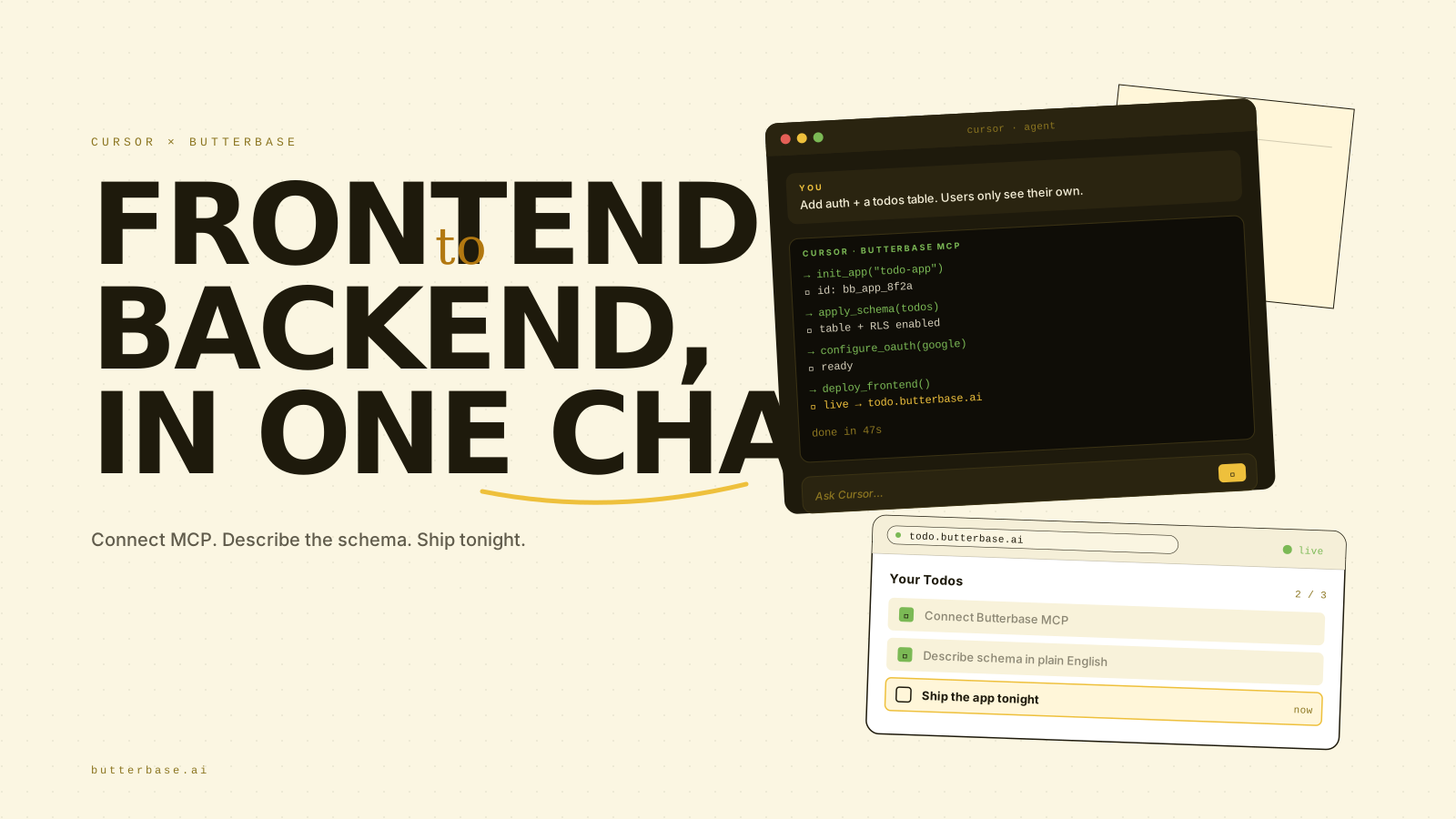
Cursor will call init_app to spin up the project, apply_schema to create the table, create_user_isolation_policy so the data is private by default, configure_oauth_provider for Google sign-in, and then update the frontend code to use the SDK. You watch this happen in the chat. You do not paste any SQL.
4. Run it locally and try it for real
Cursor will tell you which environment variables to set - typically VITE_BUTTERBASE_APP_ID and VITE_BUTTERBASE_ANON_KEY - and put them in your .env file. Run npm run dev. Sign up with your real email. Create a todo. Refresh. The todo is still there. Sign out. Sign back in. The todo is still yours.
This is the moment. The shell stopped being a shell. You have a working app.
5. Ship it
When you are ready to put it on the internet, ask Cursor to deploy it. It will call create_frontend_deployment, upload the build, and hand you back a real HTTPS URL. Send it to a friend. They sign up. Their todos are theirs. Yours are still yours. The row-level security policy you never had to write is doing its job.
Total elapsed time, for someone who has done this once before, is well under an hour. For someone doing it for the first time, the bottleneck is reading what Cursor is doing on the screen, not waiting for anything to happen.
Three real examples of the same pattern
The shape of the work is the same whether you are building a weekend toy or the first version of a SaaS. Three examples to make it concrete.
The todo app
You vibe coded the UI in twenty minutes. One todos table, one user-isolation policy, email + Google auth. From the moment you connect the MCP server, you are roughly fifteen minutes from a live, deployed, multi-user todo app where each person's data is genuinely private. There is no point in the process where you write SQL.
The SaaS MVP
A simple project-management tool. The frontend has a sidebar with projects, a main view with tasks, a settings page, and a billing page. You describe four tables to Cursor - projects, tasks, members, invites - with the relationships between them. Cursor applies the schema, sets up team-based access (so members of a project can see its tasks but nobody else can), wires up the SDK, and adds Stripe via the monetization guide for the billing page. You go live the same day. The "I'll get to the backend this weekend" version of this used to take weeks.
The booking app
A page where clients pick a time slot and pay. services, availability, bookings. A small edge function that runs when a booking is created, sends a confirmation email, and writes a calendar entry. A second edge function on a schedule that sends a reminder 24 hours before the appointment. Stripe Checkout for the payment. All of it provisioned by Cursor through MCP. The first booking that pays you back the cost of the SaaS booking tool you were paying $40/month for tends to land within a week.
Why this is genuinely faster, not just nicer
It is tempting to read the above and assume the only difference is convenience. It is not. It is faster for three structural reasons.
One round trip instead of dozens. Every time you have to leave Cursor - to open a dashboard, paste SQL, copy an API key, fix a CORS setting - you pay a context-switching tax. Stay-in-the-chat workflows are not five percent faster. They are several times faster, because the slow part of building a backend was never the typing. It was the switching.
Defaults that are actually safe. The single biggest source of wasted hours in DIY backend setup is realising, two days in, that your data was wide open and you have to retrofit security. Butterbase defaults to row-level security on user-owned tables. The first version Cursor builds is the secure version. There is no "ugh, now I have to go back and fix permissions" step.
The AI knows what to do. Cursor has access to Butterbase's docs as an MCP tool, plus a fixed set of well-named operations - apply a schema, configure auth, deploy a function. It is not guessing at the API. The error rate on backend operations drops to roughly zero, which is the first time most people experience that with an AI coding tool.
When this is not the right shortcut
To be honest about it: if you are running a backend that has to live on your own infrastructure, on your own metal, in your own data centre, this is not for you - Butterbase is managed only. If you have hard enterprise SSO requirements (SAML, custom IdPs) at launch, look at Auth0 or WorkOS. If you need GraphQL as a first-class API, you will be happier with Hasura. And if you are an experienced backend engineer who genuinely enjoys writing migrations and tuning Postgres, the agent-led model will feel like it is doing your job for you. That is, in fact, exactly what it is doing - and most people reading this will think that sounds great.
The bottom line
The fastest way to go from a Cursor frontend to a working app, in 2026, is to stop trying to be the operator of your own backend. Connect Cursor to a backend that the AI can drive end-to-end, describe what your frontend needs, and let Cursor do the work.
That is the entire shortcut. Everything else - the dashboards, the SQL editors, the policy editors, the deploy pipelines - is the long way around. They were built for a world where the human was always going to be the one in the chair. You are not in that world anymore.
The shell becomes a real app in one sitting, or it never does. The difference is which path you take from the moment you finish the frontend.
Frequently asked questions
No. You describe what your app needs in plain English ("users sign up, can create projects, only see their own data") and Cursor - talking to Butterbase through MCP - generates the schema, the row-level security policies, the auth setup, and the API wiring for you. You can read the SQL Cursor produces if you want to learn it, but you never have to write or paste it.
Create a free account at butterbase.ai, copy your API key (it starts with bb_sk_), then add a new MCP server in Cursor's settings pointing at https://api.butterbase.ai/mcp with your API key as a Bearer token. The full snippet is in docs.butterbase.ai/getting-started/mcp-setup. Setup takes about two minutes and you only do it once.
Yes. Email and password authentication works out of the box. For Google, GitHub, and other social providers, Cursor calls the configure_oauth_provider MCP tool - you give it the client ID and secret from the provider, and Butterbase handles the rest. No JWT plumbing on your end.
No. When Cursor creates a user-owned table on Butterbase, it calls create_user_isolation_policy, which sets up row-level security so each user can only read and write their own rows. This happens by default in the first version Cursor ships, not as a retrofit later.
Yes. Butterbase ships @butterbase/sdk for any TypeScript or JavaScript app - React, Next.js, Vue, Svelte, vanilla JS, even Node scripts. There are dedicated guides for React and Next.js in the docs, but the SDK is framework-agnostic.
Supabase is excellent and fully production-grade - it was just designed around a human developer using a dashboard. With Supabase, Cursor still has to ask you to paste SQL, configure RLS in the UI, set environment variables, and so on. With Butterbase, Cursor calls those operations directly through MCP without leaving the chat. Same primitives (Postgres, auth, storage, functions), different operator.
You can do either. Butterbase has built-in frontend hosting via the create_frontend_deployment MCP tool - Cursor uploads your build, Butterbase serves it on a real HTTPS URL, done. If you prefer Vercel or Netlify for the frontend, that works too - Butterbase provides the backend either way.
The Butterbase Playground tier is free - one project, 500 MB database, 10K monthly active users, 1 GB storage, and $1 of AI Gateway credits. That is more than enough for a first SaaS, a side project, or a working MVP. Paid tiers start at $19/mo when you outgrow it.