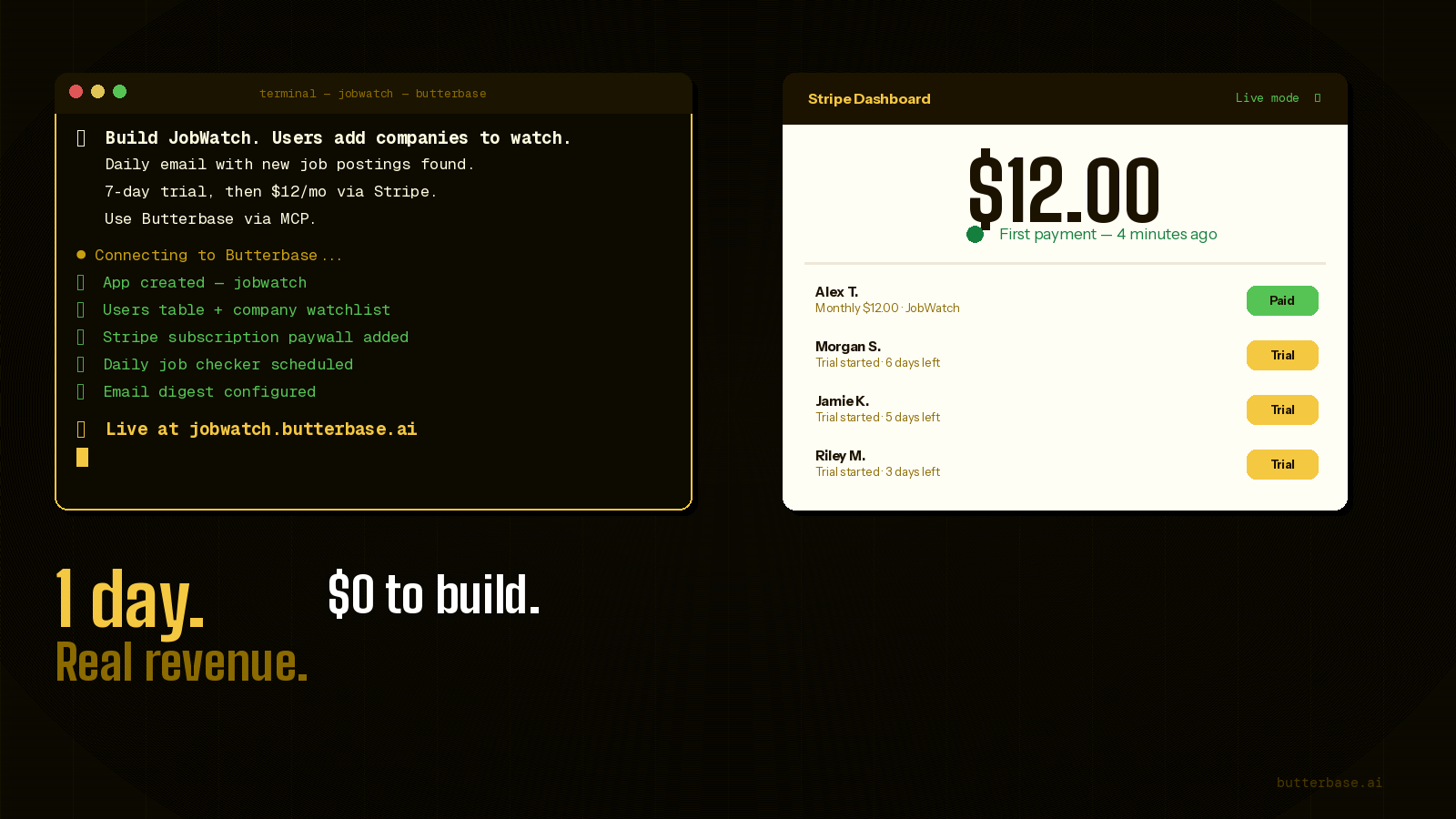
"Build a SaaS in a weekend" became a cliché several years before the tools could actually do it. It was a marketing line for tutorial sellers and a dare on Twitter. In 2026, with AI coding tools and an MCP-connected backend, it is finally a literal description of a 48-hour playbook you can run on a Saturday morning.
That does not make it easy. A weekend SaaS is still a real product. It still needs a coherent scope, a working subscription flow, sensible failure handling, and at least one person who wants the thing it does. What has changed is that the work fits inside a time budget instead of a roadmap.
This is that playbook - a 48-hour plan written as a series of decisions, not a tutorial. It covers how to pick an idea that actually fits in two days, how to spend each block of hours, the one piece of Stripe code most weekend builds get wrong, the unhappy paths that turn a demo into a product, and the launch-day checklist. Written for vibe coders who want to ship something that holds together when a stranger pays for it.
The short answer
Pick an idea narrow enough that one feature delivers the value. Spend Saturday morning on the data model and Saturday afternoon on the core feature. Spend Sunday morning on auth and Stripe (the part most weekend builds get wrong) and Sunday afternoon on the unhappy paths and distribution. Ship behind a $19/month single tier with a 7-day trial and email the first ten signups personally.
What "shipped" means here
This playbook treats a SaaS as shipped when, without your involvement, a stranger can:
- Land on a public URL.
- Sign up with their email and verify it.
- Use the product on a free trial.
- Be charged automatically when the trial ends.
- Cancel without emailing you.
Anything less than the full loop is a demo. The fifth item - self-serve cancellation - is what most weekend builds skip and what makes the difference between something that can scale and something that requires a human in the loop forever.
Picking an idea that fits in a weekend
The single largest predictor of finishing is whether the idea is small enough. Use this filter strictly:
- Can the core value be delivered by one feature? If you keep saying "and also..." the idea is too big.
- Is there a specific person you can name who would use this? "Small business owners" is not a person. "Independent dog groomers in cities with more than 50,000 people" is.
- Is the data model under five tables? If not, you are building a platform, not a product.
- Does it need integrations with services you do not already understand? If yes, defer it to v2.
Ideas that pass:
- A keyword rank tracker for solo bloggers - one input (a list of keywords + a domain), one output (a daily ranking email).
- An RSS-to-email digest with summarisation - paste feeds, get a weekly email.
- A status page generator that pings a list of URLs every minute and shows uptime.
- A receipt-to-spreadsheet tool - forward an email, get a row in your Google Sheet.
- A simple internal wiki that takes a brain dump and structures it.
Ideas that do not pass:
- "An Airbnb for X" - two-sided marketplace, network effects, three months minimum.
- "A CRM for Y" - too many entities, no clear single feature.
- "An AI assistant that..." unless the assistant has exactly one job.
- Anything that requires you to first acquire a dataset you do not own.
Write your idea as a single sentence: "A tool that helps [specific person] [do specific thing] without [the frustrating thing they currently deal with]." If the sentence is awkward, the idea is not narrow enough.
Saturday morning - the data model
Before you write a prompt, sketch the schema. This takes 30 minutes and saves hours of regenerating code that does not match the database.
The minimum viable SaaS data model is roughly five tables:
-- Identity
users
  id              uuid pk
  email           text unique
  email_verified  boolean default false
  created_at      timestamptz default now()

-- Subscriptions (one row per user; many rows over time)
subscriptions
  id                      uuid pk
  user_id                 uuid fk -> users
  stripe_customer_id      text
  stripe_subscription_id  text
  status                  text  -- trialing|active|past_due|canceled
  trial_ends_at           timestamptz
  current_period_end      timestamptz
  cancel_at_period_end    boolean default false
  updated_at              timestamptz

-- The thing the user actually owns inside the product
projects             -- or "trackers", "feeds", "documents", whatever
  id              uuid pk
  user_id         uuid fk -> users
  name            text
  config          jsonb     -- feature-specific settings
  created_at      timestamptz

-- The records the feature produces
runs                 -- or "snapshots", "results"
  id              uuid pk
  project_id      uuid fk -> projects
  ran_at          timestamptz default now()
  data            jsonb

-- Audit / cross-cutting
events
  id              uuid pk
  user_id         uuid fk
  type            text       -- 'signup', 'trial_started', 'subscribed'
  meta            jsonb
  created_at      timestamptz default now()
Two design choices worth understanding before generating code:
Subscription status lives in your database, not in Stripe. You read it from subscriptions.status on every request. Stripe is the source of truth for billing, but querying Stripe on every page load is slow and fragile. The webhook (Sunday morning) is what keeps your local copy in sync.
Use jsonb for feature config and result payloads. On day one you do not know exactly what fields you need. jsonb lets the shape evolve without migrations. Once a field stabilises across all rows, promote it to a real column.
Row-level security in Postgres means a user can only ever see their own projects and runs:
alter table projects enable row level security;
create policy "own projects" on projects
  for all using (user_id = auth.uid());

alter table runs enable row level security;
create policy "own runs" on runs
  for all using (
    project_id in (select id from projects where user_id = auth.uid())
  );
With those policies, even if your application code has a bug that fetches the wrong rows, the database refuses to return them. This is the difference between a hobby project and a real one.
The stack - exactly what you need, nothing more
AI coding tool: Claude Code or Cursor.
Backend: Butterbase via MCP. Provides Postgres, auth, file storage, scheduled functions, and an HTTP layer. The MCP integration means schema changes happen inside the same conversation as the frontend code.
Payments: Stripe. Subscriptions in test mode all weekend; flip to live mode at the end.
Hosting: Cloudflare Pages, deployed by the AI tool. Free, global, automatic SSL.
Domain: Use the Butterbase subdomain on day one. A custom domain is 5 minutes you do not need to spend until someone has paid you.
Email: Built into Butterbase for transactional. No separate service needed for the weekend.
That is the whole stack. No analytics platform, no error tracker, no feature flags, no CDN configuration. Add those after revenue.
Saturday morning - architecture and the first prompt
The first prompt to the AI tool sets the foundation. It should be long, specific, and structural.
Build a SaaS called RankPing. Use Butterbase as the backend via MCP.

WHAT IT DOES
A user signs up, adds a domain and a list of keywords, and every morning
receives an email showing each keyword's Google ranking position and the
change versus yesterday.

DATA MODEL
Tables exactly as follows (timestamptz for all times):
- users(id, email unique, email_verified, created_at)
- subscriptions(id, user_id fk, stripe_customer_id, stripe_subscription_id,
  status, trial_ends_at, current_period_end, cancel_at_period_end, updated_at)
- projects(id, user_id fk, name, domain, created_at)
- keywords(id, project_id fk, term, country default 'us', created_at)
- ranks(id, keyword_id fk, position int null, checked_at default now())

Enable RLS on projects, keywords, ranks. Users can only access rows where
the eventual user_id matches auth.uid().

AUTH
Email + password signup with an email verification step. After verifying,
land on /dashboard.

DASHBOARD
List of projects, "New project" button. Inside a project: a table of
keywords with their latest position, the change versus the previous run,
and a sparkline of the last 14 days. "Add keyword" inline form.

SCHEDULED FUNCTION
runDailyRanks: every day at 06:00 UTC, for every keyword belonging to an
active or trialing subscription, fetch the current Google rank for the
keyword + project domain, insert a row into ranks, and after all rows
for a user are written, send the daily summary email.

Use a placeholder rank-fetcher function for now (returns a random int
1-100); we will plug in the real provider later.

PAYWALL (built in next prompt, scaffold the routes now)
Routes:
- /pricing - public, single tier $19/mo, "Start 7-day free trial" CTA
- /billing - authed, shows current status, "Manage subscription" -> Stripe portal

DESIGN
Clean, technical, light-on-dark. Inter for body, JetBrains Mono for numbers.
Submit. Read the result. Resist the urge to tweak the design before the data model and core feature are working end to end.
Saturday afternoon - make the core feature actually work
The first build will compile. The first build will not be correct. The afternoon is iteration on specific, concrete bugs:
- Does adding a keyword actually trigger a single rank fetch immediately, so the user sees a number on first use? If not: "After insert, also call runRankFetch(newKeyword.id) so the dashboard shows a position right away instead of an empty cell."
- Does the dashboard re-render after an insert? If using a server-side framework, the most common bug is a stale fetch. Ask explicitly: "Use a router refresh / revalidatePath after the insert so the new row appears without a manual reload."
- Do the RLS policies actually block cross-user reads? Test by creating two users and trying to query the wrong user's keywords.
- Is the scheduled function registered? Trigger it manually from the Butterbase dashboard once and confirm rows appear in
ranks.
End of Saturday: a logged-in user can add keywords and see a daily-updated table of positions. No payments yet. No emails to strangers.
Sunday morning - Stripe, the part that goes wrong
Subscription billing has more moving parts than people expect. The minimum correct setup is: a checkout session, a webhook that mirrors Stripe's state into your database, and a customer portal link for self-serve management.
The full flow:
Trial starts → Stripe Checkout (subscription mode, trial_period_days: 7)
            → user redirected to /dashboard
            → Stripe webhook 'customer.subscription.created'
                fires immediately, your handler inserts/updates the
                subscriptions row with status='trialing'

7 days later → Stripe attempts payment
            → on success: webhook 'customer.subscription.updated'
                with status='active'
            → on failure: webhook 'customer.subscription.updated'
                with status='past_due'

User cancels → Stripe customer portal
            → webhook 'customer.subscription.updated' with
              cancel_at_period_end=true
            → at period end: 'customer.subscription.deleted'
              with status='canceled'
The handler is the part that breaks weekend builds. Skeleton:
// /api/stripe-webhook
import Stripe from 'stripe'
const stripe = new Stripe(process.env.STRIPE_SECRET_KEY!)

export async function POST(req: Request) {
  const sig = req.headers.get('stripe-signature')!
  const body = await req.text()
  let event: Stripe.Event
  try {
    event = stripe.webhooks.constructEvent(
      body, sig, process.env.STRIPE_WEBHOOK_SECRET!
    )
  } catch {
    return new Response('bad sig', { status: 400 })
  }

  if (event.type.startsWith('customer.subscription.')) {
    const sub = event.data.object as Stripe.Subscription
    const userId = sub.metadata.user_id  // set this when creating checkout!
    await db.subscriptions.upsert({
      where: { user_id: userId },
      update: {
        stripe_subscription_id: sub.id,
        status: sub.status,
        trial_ends_at: sub.trial_end
          ? new Date(sub.trial_end * 1000) : null,
        current_period_end: new Date(sub.current_period_end * 1000),
        cancel_at_period_end: sub.cancel_at_period_end,
        updated_at: new Date()
      },
      create: { /* same fields */ }
    })
  }

  return new Response('ok')
}
The three things that go wrong, in order:
- Forgetting to pass
metadata.user_idwhen creating the checkout session. Without it, the webhook arrives with no way to know whose subscription it is. Always set it. - Forgetting
STRIPE_WEBHOOK_SECRETin production. The Stripe CLI gives you a test secret. The live mode webhook in the Stripe dashboard gives you a different one. Both must be set in their respective environments. - Trusting Stripe to retry on a 500. Stripe does retry, but exponentially - your database can be wrong for hours if the first delivery throws. Make the handler defensive: catch errors, log them, and still return 200 unless the signature itself is invalid.
Test the whole loop with the Stripe CLI: stripe listen --forward-to localhost:3000/api/stripe-webhook in one terminal, stripe trigger customer.subscription.created in another. Verify the row appears.
Sunday afternoon - the unhappy paths
The difference between a demo and a product is what happens when things go wrong. Walk this list:
- Trial expiry. When
statusbecomespast_dueorcanceled, the dashboard should show a clear paywall, not crash. Add a guard: "Wrap the dashboard in a check - if subscription.status not in ('trialing', 'active'), redirect to /billing with a message." - Email already verified. Clicking the verification link a second time should land cleanly, not show an error.
- Forgot password. Email-based reset, single-use token. Butterbase auth handles this - wire up the UI.
- Stripe payment retry. Stripe automatically retries failed payments for two weeks. Your dashboard should show a "your card was declined, update payment method" banner during the retry window.
- Cancellation. User clicks "cancel" in the customer portal. Webhook arrives with
cancel_at_period_end=true. Dashboard should show "your subscription ends on [date]" but still let them use the product until then. - Re-subscription. A user who cancelled and comes back should not get a duplicate subscription row. The upsert above handles this if it keys on
user_id. - Email deliverability. Send the verification and trial-ending emails to a Gmail and a Hotmail address you control. Confirm they land in the inbox, not the spam folder. If they spam, set up DKIM/SPF in the Butterbase email settings.
Pre-launch checklist
- Sign up as a new user, complete the trial flow with Stripe test card
4242 4242 4242 4242, and confirm the subscription row goes fromtrialing→activeafter Stripe simulates a successful charge. - Sign up with the failing test card
4000 0000 0000 0341and confirm the failure path is handled. - Cancel from the customer portal and confirm the webhook updates your row.
- Switch Stripe to live mode, generate live API keys, register a live webhook endpoint pointing at your production URL, and copy the new webhook signing secret into Butterbase secrets.
- Visit the public marketing page on a phone. The Subscribe button should work without horizontal scroll.
- Run a full sign-up to your live URL with a real card. Refund yourself in the Stripe dashboard. The refund should not break anything.
Distribution - the part you cannot prompt your way out of
Software with no users is a science project. The afternoon you launch is the same afternoon you start telling people. Pick three places - not ten - and post within 24 hours of going live.
The right Reddit community. Find the subreddit where your specific user lives (not r/SaaS). Post a problem-first description, link in a comment if rules require. Reply to every reply for the first 6 hours.
Hacker News Show HN. One post, in the morning Pacific time, with a clear "what it does" first line. Stay on the thread for 4 hours.
Direct messages to ten people who fit your description exactly. Not a template. A specific message that references something they wrote or built. Ten of these will produce more signal than a thousand impressions.
Distribution is the part of the weekend that is not technical, not pleasant, and not optional. The weekend ends with at least ten people having seen the product, not with the product being live.
Pricing - pick something, not nothing
Single tier. One number. $19/month with a 7-day free trial is a defensible default for a single-feature B2C-or-prosumer SaaS in 2026.
- Lower than $9 attracts users who do not value the product and increases the support load per dollar.
- Annual discount can wait. It is a feature, not a launch requirement.
- Multiple tiers can wait. They are a way to monetise existing users, not a way to acquire new ones.
- Free tier is harder to get right than a trial. Skip on weekend one.
Charge from the first user. Free users do not tell you whether the product is valuable. Paying users do.
The traps
Spending Saturday on the landing page. The landing page does not matter until the product works end to end. Build it Sunday afternoon, in 90 minutes.
Adding "just one more feature" before launch. Every additional feature multiplies the surface area of bugs. Resist. Ship the one feature that the idea sentence promises.
Skipping the webhook because "I will handle billing manually for now." Manual billing scales to about three customers. By the time you go back to fix it, you have data inconsistencies you cannot easily reconcile. Build the webhook on Sunday morning, even if it feels disproportionate.
Choosing the stack instead of building. The stack in this article works. Spending the weekend evaluating alternatives is a way to avoid the weekend.
Delaying launch for "polish." The product is not polished after a weekend. It is supposed to not be. Polish is a function of feedback, and feedback requires shipping.
Frequently asked questions
No. Stripe lets you collect payments as an individual sole trader. You will need to provide tax information and a bank account, but you do not need an LLC or limited company to receive your first dollar. Talk to an accountant about when forming an entity makes sense - usually it is at the point where the tax savings exceed the formation cost, not at launch.
Expected. Most products take weeks to find their first paying customer. The launch weekend is about closing the loop end to end and starting the feedback cycle, not about hitting a revenue milestone. The work that produces sign-ups is the distribution work in the weeks that follow.
Trials produce a clearer signal. A user who completes a 7-day trial and converts has demonstrated both value and willingness to pay. A user who stays on a free tier indefinitely has demonstrated only that they will not say no to free. For a single-feature product, the trial-to-paid conversion rate is usually higher than the free-to-paid rate, and the support load is lower.
Possible but not recommended. Querying Stripe on every request adds 100-500ms of latency to every page load and ties your application's availability to Stripe's. The webhook approach keeps a local copy in your database that is read fast, with Stripe as the source of truth that updates the copy when state changes. The pattern is the same across every mature SaaS.
Stripe retries failed deliveries for 3 days with exponential backoff, and you can resend any event manually from the Stripe dashboard. To stay safe, every webhook handler should be idempotent - running the same event twice should produce the same result. Keying upserts on stable IDs (subscription ID, customer ID) achieves this.
On weekend one, do not. Stripe Tax can be enabled in the Stripe dashboard once you cross the thresholds where it matters (varies by country). For US sales tax, you generally do not owe anything until you exceed an economic nexus threshold in a state, which is usually $100,000 or 200 transactions.
The webhook handler should log the error to Butterbase function logs and still return 200. The user-facing app should show a friendly error and let the user retry. You read the logs in the morning, paste the error into your AI tool, and ship the fix. This is the same workflow that produced the product.
Not by sign-ups. The weekend worked if the loop is closed: a stranger can pay you without your involvement, and you can read the resulting subscription row in your database. Sign-ups are a function of distribution, which takes weeks. The closed loop is a function of engineering, which takes the weekend. Confuse the two and you will rebuild the wrong things.
The bottom line
A SaaS shipped in a weekend will be missing things. It will not have onboarding emails or a billing dashboard with charts or a help centre or referral codes or annual plans. None of those things matter until you know whether the underlying product solves a real problem for a real person who will pay you to keep solving it.
The discipline of the weekend is to defer everything that is not on the critical path between "stranger lands on the URL" and "stranger's card is charged." Everything else is a Monday problem. Most products never get to a Monday problem because they spend the weekend on Tuesday problems.
Pick the idea. Sketch the schema. Write the long prompt. Ship Saturday's core feature. Wire Sunday's payments. Cancel and re-sign up as a stranger. Send the link to ten people. The rest is iteration.