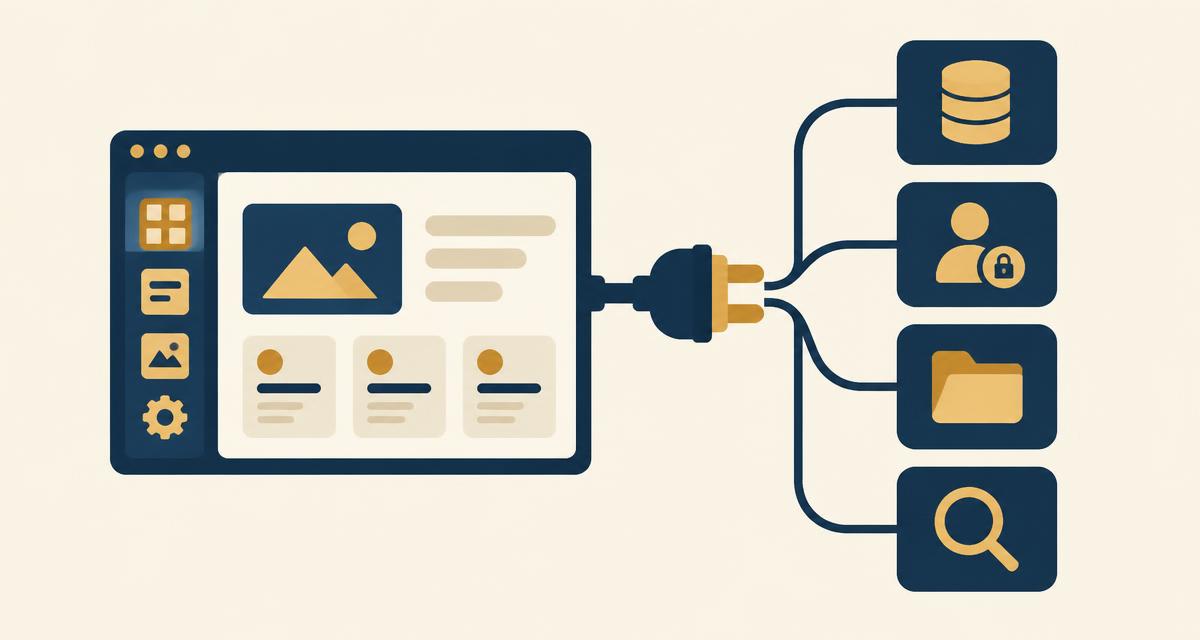
The short answer: Butterbase is now available as a backend in Dyad. Connect it from Plugins and a Dyad app gets Postgres with per user row level security, real logins, file storage, serverless functions, an AI gateway and vector search in one connection. The setup takes three steps.
An app built in Dyad works until a second person tries to use it. Then the gap shows up. There are no accounts, the data is not really stored anywhere, and nothing stops one user from seeing another user's rows.
That is the backend, and it is the one part an app builder cannot invent. Connecting one takes three steps.
What one connection provides
- Postgres with per user row level security. A real database, where the rule about who can see which rows lives inside Postgres instead of in frontend code.
- Logins. Sign up and login, which is what those per user rules key on.
- File storage. With the same access rules applied to files.
- Serverless functions. Server side code, so secrets stay off the browser.
- An AI gateway. 300+ models on one key, callable from a function with nothing else to sign up for.
- Search over your own data. pgvector in the same database, so search follows the same access rules.
Butterbase is open source and self hostable, and it is standard Postgres underneath, so a project can be exported or moved later.
What You Need Before Starting
- Dyad installed on your Mac, Windows, or Linux machine
- A free Butterbase account
Step 1: Connect
Open Plugins in Dyad, find Butterbase and connect.
The browser opens to authorise the connection and pick which Butterbase project the app uses. The access token stays on the local machine, the same as Dyad's other integrations.
One project per app is the simpler habit. A single project can be shared across apps, but then a schema change for one lands in all of them.
Step 2: Verify
Before building anything real, ask Dyad to check it's connected.
Check that you're connected to Butterbase, then tell me which tables my project has.
A real connection answers with the actual project — the tables it can see, the schema it can read. One that never landed says it has no database access, or writes SQL and asks you to run it yourself.
Then ask for something small and watch where it goes.
Create a notes table with a title and a body, and add one sample row.
Open the Butterbase dashboard. The table should be there in the database, and the sample row should be in it. If both are, the connection is good. If they are not, the app is storing everything in local state while looking finished, which is the most common failure mode.
If the app asks for logins, sign up once and confirm the account appears as a real user in the dashboard too. From there, whatever gets requested builds on real storage.
Step 3: Start building
Now talk to Dyad the way you were already talking to it. Describe whatever you want to build, in plain language, and watch the backend build itself underneath the app as you go.
Users sign up and log in, and each user sees only their own projects.
Ask for that and a Postgres table appears, with the rule about who sees which rows written into the database rather than into the page. In frontend code the same rule is a suggestion, because anyone can open the network tab and change an ID. In row level security, Postgres refuses.
Keep describing things and the same thing keeps happening across the rest of the stack:
- Files. Ask for uploads and the files go to storage, governed by the same per user rules, not onto guessable public URLs.
- Server logic. Anything touching a secret or deciding permissions becomes a serverless function, because code running in a browser can be edited by the person running it.
- AI. The gateway covers 300+ models on the key the project already has, so a model call is one prompt, not a new provider account.
- Search. Ask for search over the app's own files and pgvector answers inside the same database, scoped by the same access rules.
At no point do you stop talking and start wiring a backend by hand. When the app is the one you wanted, ask Dyad to deploy, and the result is a live URL on a real backend that someone else can sign up and use.
Where it goes from here
Once the first version is live, the app grows the same way it started: by describing the next thing in chat. A comment thread, an email notification, a second user role — each is one more request, and each lands on the same Postgres, auth and storage the app already uses. There is no point where the backend runs out and the project has to be rebuilt on something more serious.
That is the difference a real backend makes. The first version is not a prototype that gets thrown away; it is the foundation everything else is added to.
Before you share it
Two quick checks are worth the five minutes they take. First, skim the access rules the agent wrote for each table, so you know who can see what. Second, sign up with a second account and click around — the fastest way to confirm one user really cannot reach another user's data.
Everything you built is yours. Dyad writes standard code to your machine, and Butterbase is standard Postgres underneath, so the app can be exported, moved or self hosted whenever you want.
Ready to try it? Open Plugins in Dyad, select Butterbase and connect. Related reading: Qoder Backend Setup with Butterbase and Add User Login to a Vibe-Coded App.
Frequently asked questions
Dyad builds the app and connects to a backend chosen at setup. Butterbase covers Postgres, logins, file storage, server functions, an AI gateway and vector search in one connection.
Connect a backend, then ask for the table in chat. With Butterbase, open Plugins, connect, then describe the table and who should be able to see it.
Ask for sign up and login after connecting a backend. Butterbase provides real JWT auth, and that user identity is what per user database rules key on.
Ask for per user access when the table is created, then verify it with two accounts. Butterbase enforces it with row level security inside Postgres rather than in frontend code.
Yes. Dyad is free and open source and Butterbase has a free tier, so both can be tried without a card.
You do. Dyad outputs standard code locally with no proprietary abstraction, and Butterbase is standard Postgres that can be exported or self hosted.